Download count checked on 24 October 2026. Platform availability and shared architecture are delivery evidence; no time-saving or revenue estimate is implied.
Rafters were managing school lunch orders across multiple schools via phone calls and paper forms. Inventory was tracked on spreadsheets, payments were manual, and staff spent hours each day on admin that should have been automated.
02 / The solution
A system that joins the dots.
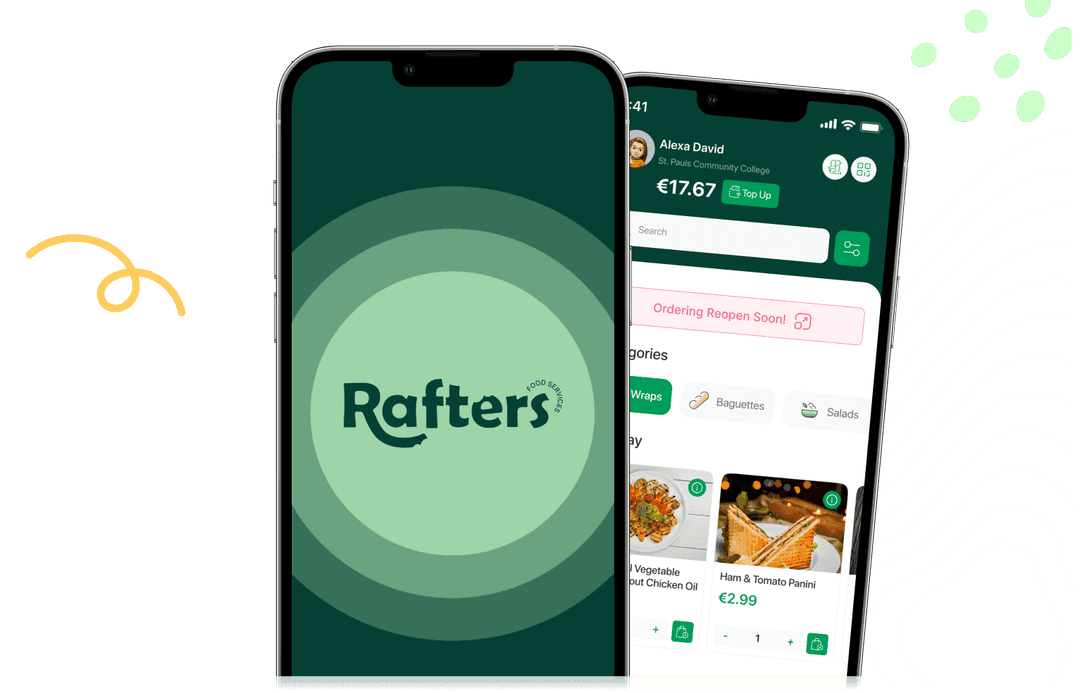
We built the whole system end to end: a multi-tenant Django platform serving a Next.js web app and native iOS and Android apps from one API. Parents, teachers, canteen staff, managers, workers and administrators each get their own role-scoped experience across primary and secondary schools — with real-time ordering, Stripe payments, allergen-aware menus, automated inventory and a full analytics layer behind it.
Multi-tenant architecture — every school runs its own menus, cut-off times, pricing and staff hierarchy from a single shared platform
Native iOS and Android apps in React Native, sharing one Django REST API with the web platform
Rolling orders — parents set a recurring weekly lunch preference per child and the system generates and charges the orders automatically
Payments and credits — Stripe card payments on web and in-app, account credit balances, wallet top-ups and refunds
Menu management — school-specific meal categories, prices, ingredients, allergens and scheduled menu cycles
Allergen management down to the individual student, so unsafe items are filtered out of a child's menu before they can be ordered
Open a workflow to explore the need, the experience, and what changes for the people using it.
01
School-specific ordering
A shared platform with school-specific menus, pricing, cut-off times and staff roles.
01School and student
02Relevant menu
03Order
04School operations
The approach
The Next.js website and React Native apps use one Django REST API. School context determines the menu and ordering experience.
What changes
Parents and school teams work within the same ordering platform, with an experience tailored to their school.
02
Payments and credits
Stripe card payments, account credits, wallet top-ups and refunds across web and mobile.
01Choose meals
02Card or credits
03Confirm payment
04View balance
The approach
Customers can pay by card or use available credits. The app displays the credit balance and checks that it covers the order before allowing credit payment.
What changes
Customers can manage their balance and pay for meals within the same ordering journey.
03
Allergy management
Individual allergy profiles alongside meal allergen, ingredient and nutritional information.
01Student allergy profile
02Filtered menu
03Review meal details
04Choose meal
The approach
The ordering experience uses the selected student's allergy profile to filter incompatible menu items. Meal details also show allergen information before ordering.
What changes
Dietary requirements are part of the ordering workflow, helping families choose suitable meals for each child.
04
Menu management
Central menu management with school assignments, meal categories, pricing, ingredients, allergens and menu cycles.
01Manage meals
02Assign school and schedule
03Activate menu
04Web and app ordering
The approach
Administrators manage menus and their schedules. The shared API returns the active weekly menu for the selected school, including meal details and prices.
What changes
Teams manage school menus centrally, and families see the relevant meals in the web and mobile ordering journeys.
05
Rolling orders
Recurring weekly meal preferences for each child, with controls to enable or disable rolling orders.
01Select child
02Save weekly preferences
03Enable rolling orders
04Automatic orders and charging
The approach
Parents save weekly lunch preferences. The platform uses those preferences to generate recurring orders and handle charging automatically.
What changes
Families can maintain a regular lunch routine with less repeated order entry.
06
Notifications
In-app notifications and push delivery, with campaign scheduling and per-user read tracking.
01Create message
02Schedule delivery
03Push and in-app notification
04Open and track read status
The approach
The notification engine delivers messages through Firebase Cloud Messaging. Users can open notifications in the app, while the platform records read status.
What changes
Families can receive updates and revisit messages within the same app they use to order meals.
07
Support chatbot
An integrated Rafters assistant with suggested FAQs and conversational support.
01Open assistant
02Choose FAQ or ask question
03Support API response
04Continue conversation
The approach
Users open the assistant in the app, choose an FAQ or type a question. The chatbot sends the question and conversation history to the shared support API and displays the response.
What changes
Customers can ask for help while using Rafters, with answers available in the same interface.
08
Integrated staff room
A staff room connected to staff accounts, with a document dashboard and individual document views.
01Staff sign-in
02Assigned documents
03Read document
04Track viewing status
The approach
Staff sign in to access their assigned documents. The dashboard shows whether each document has been viewed, and administrators manage staff documents within the platform.
What changes
Workplace information and document viewing status sit within the wider Rafters system.
09
From paid order to meal collection
Kitchen manifests, inventory tools and QR-based collection checks.
01Paid orders
02Kitchen manifest
03Meal preparation
04QR collection check
The approach
Scheduled jobs prepare operational outputs. At collection, the application checks the student's scan against the day's paid orders.
What changes
Kitchen preparation and collection use the order information already captured by the platform.

 Product preview
 Product preview

